How to QA a Tracking Link Before You Spend a Cent on Traffic
Every guide says to click your own link from a real phone and check it. None of them say what to look at. Six checks, five you can run alone in ten minutes, plus the exact five lines to send your affiliate manager when one of them fails.
A link that drops its click id loses every conversion behind it, and nobody reassigns them after the fact. Six checks, five of which you run alone in about ten minutes, before the first dollar of paid traffic. Here is what to look at, in the order to look at it.
There is a specific kind of month that ends badly. You picked a market, bought the media, watched clicks arrive all week, and the conversions did not. Registrations, a few. Deposits, none.
Three weeks later somebody finally opens the link and finds the operator's parameter spelled aff_click on their side and affclick on yours.
One missing character. The clicks were real, the players were real, the deposits happened. They are just not yours, and nobody reassigns three weeks of conversions because an affiliate says the tag was wrong.
Every guide opens with the same instruction, the 30-day plan included: QA your tracking link before you spend a cent. Almost none say what to look at.
What a broken link actually costs
Put a number on it, because "test your links" is advice everyone nods at and nobody schedules.
Run $40 a day into a Tier-2 market on a $150 CPA. Three weeks in, that is $840 spent for five to seven first-time deposits. Nothing remarkable: roughly break-even, a campaign you keep running while you tune the creative. Whether one parameter round-trips is the difference between $750 to $1,050 in commission and zero.
Now the part that makes it worse. A tagging failure does not announce itself. Clicks look normal, because clicks are counted on your side. Registrations often look normal too. All you see is a funnel thinning where funnels genuinely do thin, so you go hunting for a creative problem that is sitting in a query string.
And you hunt with wrong numbers, pausing the placement that was converting and scaling the one that only looks better. A broken link costs you the commission, then corrupts the data you decide with, which costs you the month after.
The six checks, in order
Each only means something if the one before it passed.
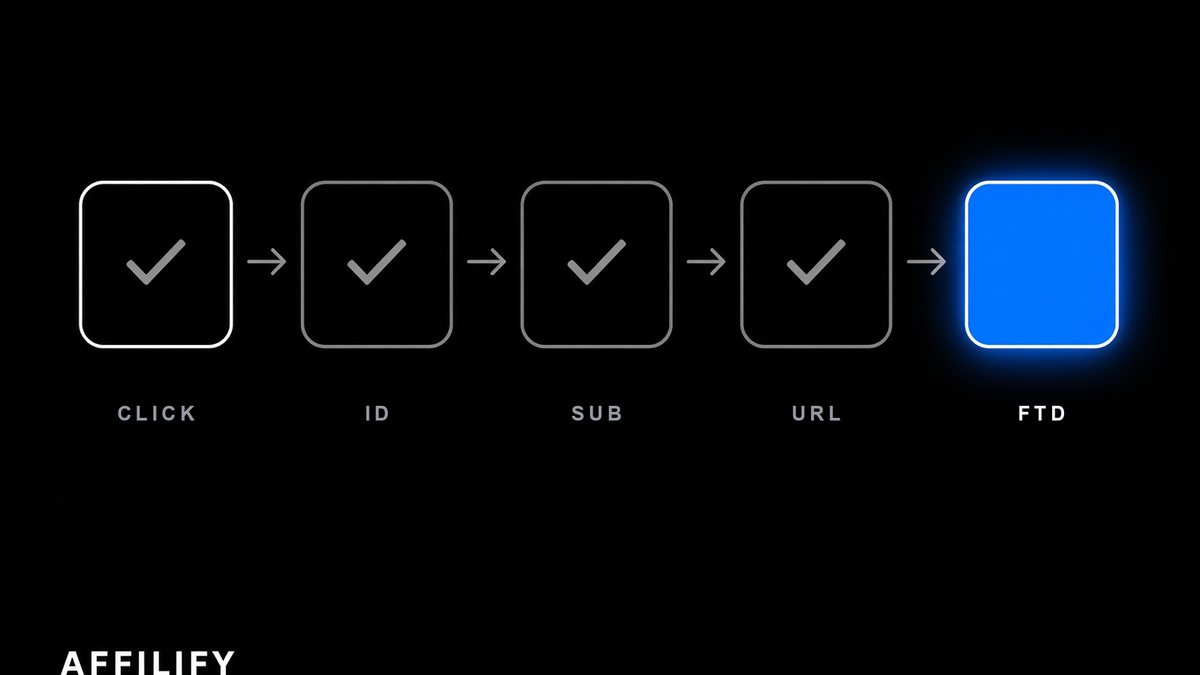
- The click id leaves your link and arrives on the brand's page.
- It comes back attached to a conversion.
- Your sub-ids are populated and readable.
- The destination is the page you actually aimed at.
- The click is marked as a test, so it stays out of your numbers.
- All of the above, from a real phone on mobile data.
Five of those you run alone, in about ten minutes, with a phone and your statistics screen. Check two needs the brand to act, so send that request first and work through the rest while the reply is in flight.
Checks one and two: out, then back
A tracking link here is built from a traffic source, a GEO and a landing page, plus a tier where the brand runs several under one name. A different tier is a different deal, so it gets its own pass. On a click, a token is created and handed to the operator on the destination URL under the parameter that operator named, and it must come back attached to the conversion. That round trip is the whole mechanism (the vocabulary is here if click id and FTD are still fuzzy).
Click your own link and read the address bar once the redirects settle. You want the parameter, spelled the operator's way, with a value in it.
Three shapes of failure, in rising order of how easy they are to miss:
- The parameter is absent. Obvious, and the fastest to fix.
- The parameter is there and empty. Something generates the slot and nothing fills it. It looks configured, which buys it a few extra days of going unnoticed.
- The parameter is spelled differently. aff_click, affclick, AffClick, aff-click. Query parameters are case sensitive on most stacks and an operator's backend looks for exactly one string. This one has a value in it and looks perfect at a glance.
Then the return leg, the half that pays. Do not open a test account to trigger it. Self-registration sits in the never tier at almost every brand, and the traffic rules you agreed to do not bend because your intentions were good. Ask instead. Send your affiliate manager the click id from your QA click and have their team fire a test postback against it. Postbacks carry a test flag, so the event stores end to end without touching anyone's commission. If it surfaces in your dashboard attributed to you, sub-ids intact, the loop is closed.
Attribution has fallback layers behind the click id, and they do real work when a browser strips something along the way. Insurance, not a plan. Verify the primary.
Check three: sub-ids you cannot backfill
Ten slots ride along with every click, sub_id1 through sub_id10, and most new affiliates leave all ten empty for a reasonable-sounding reason: there is one campaign right now, so what would go in them.
Six weeks later there are four creatives across two placements plus a Telegram channel, eleven deposits have landed, and which produced them is not a hard question. It is an unanswerable one. Sub-ids attach at the moment of the click. Nothing writes them onto clicks that already happened.
Fill three before you have a reason to. sub_id1 takes the channel, written the same way every time: seo, tg, push, fb. Whatever convention you invent in week one is the one you are stuck with, so keep it short and lowercase. sub_id2, the creative or article slug. sub_id3, the placement or ad set.
The values have rules. No spaces, no accents, nothing that already means something inside a URL: an ampersand, a hash, a question mark, a percent sign. Some operator stacks truncate long values silently, so stay under about 40 characters.
The QA step takes fifteen seconds. After the test click, open the link report and confirm the values are there, whole, and readable rather than encoded into gibberish. The report breaks the first five slots onto their own tabs, worth knowing before you decide which slot gets what.
Check four: promo pages that forget the affiliate program
Brand marketing builds landing pages on its own schedule, and not every one of them knows the affiliate program exists.
That is the first way a deep link breaks. Aim at the registration form, one game or a seasonal promotion instead of the homepage and you usually convert better. You also add a hop. Your parameter survives the first one, the page bounces the visitor to a canonical URL or a localised variant, and it does not make the second jump. Right page, clean URL, no token.
The second way is blunter. The page does not exist where you are sending people. A promo path that renders in English 404s in pt-BR, or redirects to the homepage, turning a targeted campaign into generic traffic.
Test every deep link on its own. It is not a variation of a link you tested. It is a different link.
Check five: mark the test click as a test
Your QA clicks are clicks. They enter your click count, GEO breakdown and device split, from one phone in a country almost certainly not the one you are buying. Twenty of them move every ratio in your first week, which is the week you make decisions in.
Add test=1 to the tracking link. The click is stored flagged as a test, and anything it produces is excluded from commission calculations. Free, and it works whatever the brand supports.
One honest limitation. The flag keeps test events out of payouts. It does not delete the click, so your raw click count still counts it. Burn a sub-id slot too, sub_id5=qa on every QA click. Then any report can filter them out and you never have to remember which Tuesday you were testing.
Check six: a real phone, on mobile data
Desktop, on your own wifi, ad blocker off, DNS through your ISP, is not a test. It is a rehearsal in a room nobody else will stand in. Two failures show up only on a handset over cellular, and both of them are expensive.
App handoff. If the brand has an app, the operating system may intercept the link and route it into the app or the app store instead of the mobile site. The click id frequently does not survive that, and whether it does is a property of that brand's setup, not something you can reason out. Find out on your own phone for free, not on 3,000 clicks of paid traffic.
Redirect chains that die off your network. A hop that resolves instantly from your desk can time out on a mobile carrier, and some markets filter at ISP level in a way that only bites outside your connection.
One thing this will not prove: your IP resolves to your own country, so the GEO on the test click is yours, not the market you are buying. Expected. Do not route the test through a VPN to fake it. Traffic quality is checked continuously, and flagging a click as a test does not change what the click looked like.
The checklist, in one screen
| Check | What you do | What good looks like | What a failure means |
|---|---|---|---|
| Click id out | Click it, read the final address bar | Their parameter, their spelling, non-empty | Nothing behind this click is ever yours |
| Click id back | Have the brand fire a test postback on that click id | It surfaces attributed to you, sub-ids intact | Token out, nothing back. Could be either side |
| Sub-ids | Set sub_id1 and sub_id2, click, open the link report | Values complete, not truncated or encoded | You earn money you cannot trace to a source |
| Destination | Compare where you landed to the page you picked | Exact page, right language, parameter attached | Untagged promo page, or a 404 in that locale |
| Test marking | Add test=1 and your reserved QA sub-id | Test events out of payouts, QA clicks filterable | First-week ratios measure you, not your traffic |
| Real device | Repeat it on a phone, on mobile data | Same as desktop, app handoff keeps the token | The link works everywhere but where your money goes |
Six rows, once per link, per brand tier, per landing page.
When a check fails: who to ask, what to send
First, stop. Do not send traffic to a link that failed a check while you wait for an answer. Waiting costs you the hour. Spending costs you the spend.
Then work out whose problem it is, because that decides who you email.
The parameter is misspelled on your side. Yours, thirty seconds. Rebuild it from the builder rather than editing the URL by hand. Hand-editing is usually how the character went missing.
The brand's landing is untagged, or the deep link strips the parameter. Theirs. Send your affiliate manager five lines: the link you clicked, the destination URL you landed on without the parameter, the timestamp with timezone, the device and OS, the network. Managers escalate reports an engineer can reproduce. They sit on reports that say "tracking seems broken".
The operator has not finished their side. Common with newly launched brands, and it has a signature: clicks attribute fine, registrations attribute fine, deposits never arrive. Usually the postbacks are not live yet, or the mapping is incomplete, so registration fires and ftd does not. Ask it directly. Are your postbacks live here, and which events are mapped? A brand that cannot answer inside 48 hours is telling you how the first payout month will go. Most of this belongs in writing before you build anything, which is what reading an offer properly is for.
If it lands on our side, send support the same five lines. To be straight about the limits: we can confirm whether a click reached us and what it carried, and we can fix a link built wrong. We cannot manufacture conversions for clicks that were never recorded. Nobody can, whatever the pitch implies.
The routine never gets longer. The one time it catches something, it pays for every time it did not.
Frequently asked questions
Do I have to QA every link, or just the first one?
Every link that differs in brand, tier, GEO or landing page, and every deep link separately. A link into a promo page is a different link from the homepage link for the same brand, and promo pages are exactly where tags go missing. A brand tier is its own deal on its own operator account, so it gets its own pass too.
Does a link need re-QA when the brand changes its CPA terms?
No. A rate change does not touch the URL, so the tracking is unaffected. What a rate change needs is a re-read of the terms, which is a different job. Re-QA is triggered by things that move URLs: a site relaunch, a new cashier, a promo page retired, a landing page swapped for a localised variant.
My click count and the brand's dashboard disagree. Who is wrong?
Probably neither. Some gap is normal, because the two sides count at different moments and filter differently: clicks abandoned mid-redirect, obvious bot traffic dropped, day boundaries drawn in different timezones. A gap of a few percent is background noise. A gap of half, or a brand reporting almost nothing while you report thousands, is a parameter problem. Send the five lines rather than arguing about totals.
Is clicking my own tracking link allowed?
A handful of QA clicks flagged as tests is normal and expected, which is what the test flag exists for. Self-clicks run as traffic are a different thing and sit in the never tier at almost every brand, alongside self-registration. That distinction is why the return leg gets verified with a test postback from the operator rather than with an account you opened yourself.
More from this cluster
When to Ask for a Better Affiliate Deal
Volume, quality, exclusive: three reasons a brand might actually move. How to time the ask, what to put in writing, and the asks that get you ignored.
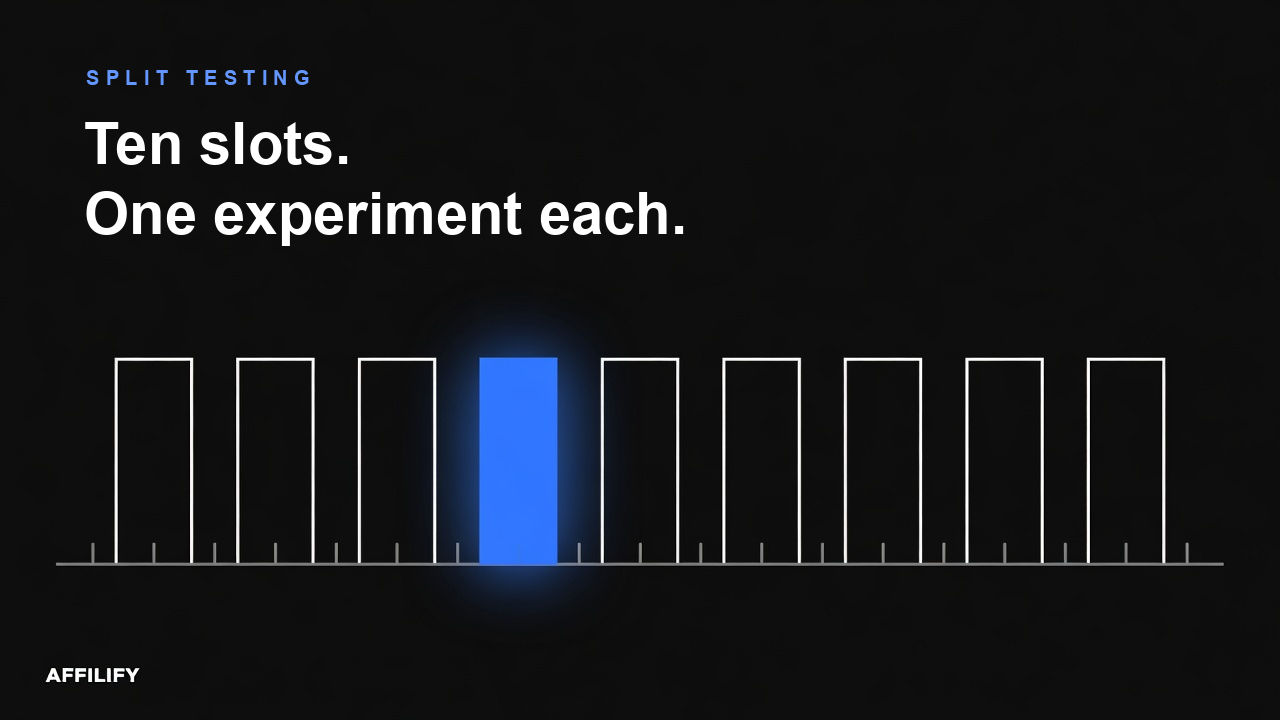
Sub-IDs for Split Testing: Ten Slots, Used Properly
A tracking link without sub-ids tells you that traffic arrived. A tracking link with sub-ids tells you which headline, which GEO split, which creator and which landing produced the FTD. Ten slots, what to put in each, and the mistakes that make the report unreadable.
Restricted Traffic Sources: What Closes an Account, and What Does Not
Three tiers of traffic source: generally accepted, needs written permission per brand, and never. Almost every lost deal happens in the middle tier, where somebody read silence as a yes. Brand bidding and incentivized traffic explained properly, plus what a reversal actually costs.